Introduction
This software implements every parallel client in the algorithm. The graphical application is written entirely in Qt in order to be portable. Neverthless, the user can start the client in command line mode by starting the executable with the command line option --gui=no. The main parts of the gui are explained below.
Connection Tab
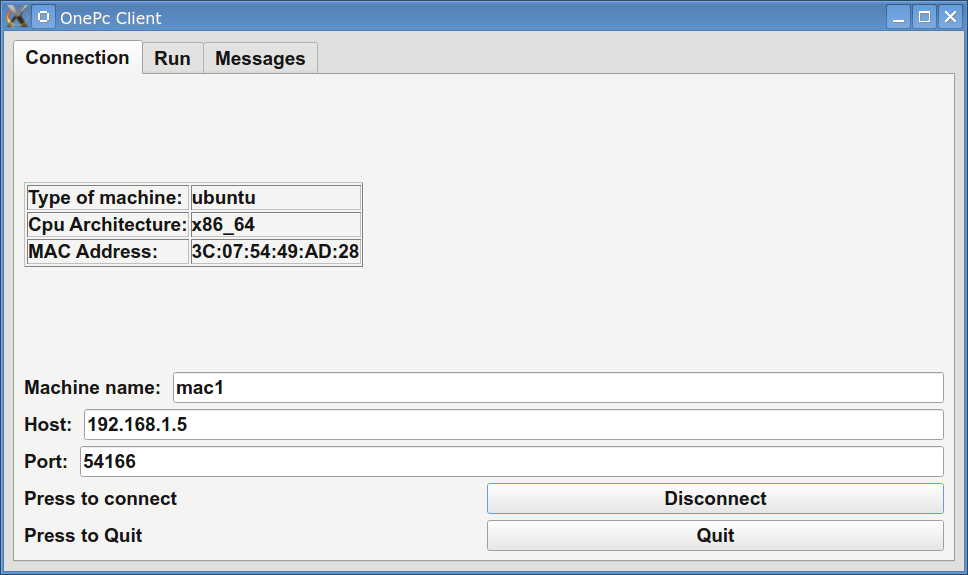
The first tab used in the application is the Connection tab as show in figure Fig1. In this tab the user should supply the ip of the server in the Host textfield as well as the running port. Without these information the client can not connect to the server. Also, the user can provide a name for the client in order to distinct them from other running clients.
Run Tab
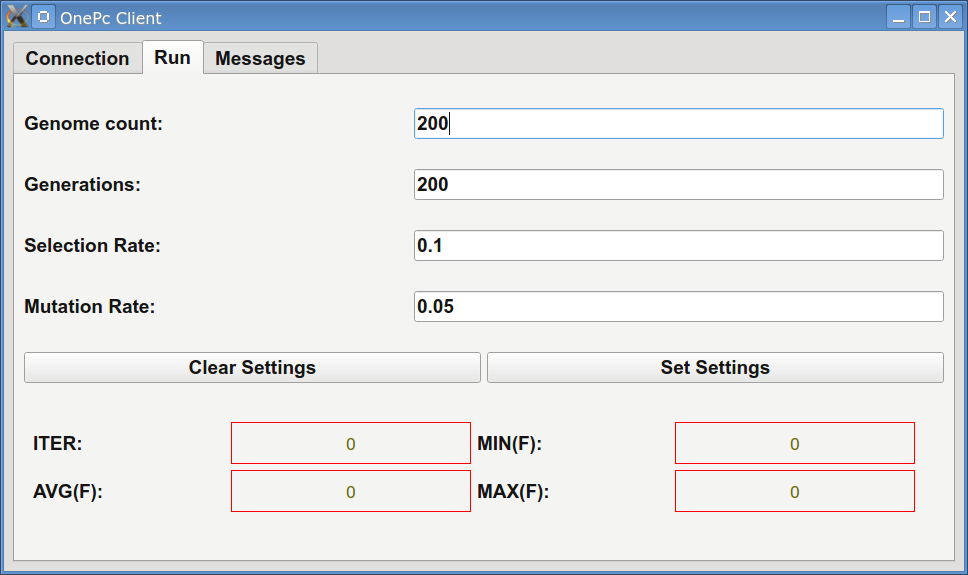
Under Run tab the user can modify some of the most critical parameters of the genetic algorithm such as chromosomes, generations etc. A typical output is shown in figure Fig2. Also, the user can monitor the progress of the genetic algorithm during the execution of the algorithm.
Messages Tab
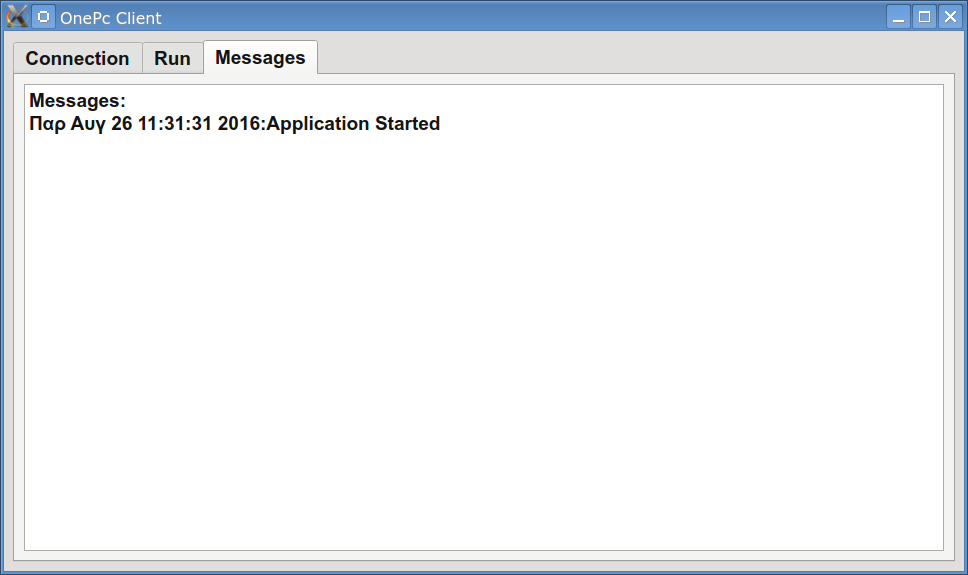
Some debug information is displayed in this tab. A typical screen is shown in figure Fig3.
Command line arguments
The user can use command line arguments for the application.
1. --generations g. The integer value g specifies the maximum number of generations allowed for the genetic algorithm. The default value is 200.
2. --chromosomes c. The integer value c specifies the amount of chromosomes used in the genetic population. The default value for this parameter is 200.
3. --selectionrate s. The double parameter s determines the selection rate for the genetic algorithm. The default value is 0.90 (90%), which means that 90% of the population will be copied intact to the next generation.
4. --mutationrate m. The double parameter m determines the mutation rate used in genetic algorithm. The default value is 0.05 (5%).
5. --serverip s. The string parameter s specifies the ip server of the OnePC server.
6. --serverport p. The integer parameter p specifies the port of the OnePC server.
7. --gui b. The boolean value b can specifies if gui will be used for the client. If b is yes or true the gui will be used otherwise it will not.
8. --seed s. The integer parameter s specifies the seed for the random generator.
9. --machinename name. The string parameter name specifies the name of the client that will be displayed under tab Clients in OnePC server.
10. --parallelchromosomes c. The integer parameter c specifies the number of chromosomes that will be exchanged between this client and the other clients in the parallel population. The default value for this parameter is 10.
11. --localsearchchromosomes c. The integer parameter c specifies the amount of chromosomes that will take part into local search step of the genetic algorithm. The default value for this parameter is 20.
12. --localsearchgenerations g. The integer parameter g specifies the amount of generations that will be executed before the local search step of the genetic algorithm. The default value for this parameter is 50.